



468x60 Ads

Demo image Demo image Demo image Demo image Demo image >
Showing posts with label Mobile Tricks. Show all posts
0 comments


!WARNING!! SMS SPAM IS ILLEGAL UNDER COMMUN LAW IN MOST JURISDICTIONS! I AM NOT RESPONSABLE FOR HOW YOU USE THIS INFORMATION!!

I found an easy way to send someone hundreds of sms texts. And I will now show you how to do it

This Tutorial will teach you how to SMS bomb for free. And without untrusted software.

Things you will need
1.Mozilla Firefox Browser.
2.iMacros Firefox Addon. https://addons.mozilla.org/en-US/firefo ... r-firefox/
3.Free sms website with no login or captcha. Send Free SMS Here http://www.send-sms-now.com/
4.Internet Access

STEP1. Open Firefox and navigate to www.Send-Sms-Now.com
STEP2. Open up iMacros by pressing the F8 key.
STEP3. Look to the left of your Firefox browser and you will see iMacros. On the bottom of the iMacros you will see 3 tabs PLAY | REC. | EDIT . Click on the REC. Tab you will see buttons that say RECORD, SAVE, LOAD, and STOP. Click the RECORD button.

STEP4. After you press the RECORD Button look back at the sms sending website you opened earlyer and you should see Country, Operator, Mobile Number, From, Message, and a Send Message button. Fill out the information and click the send message button when you are done. The page should load and at the top it should say "Message Sent".(If you dont see the Message Sent at the top of the page then start over because you did something wrong.

STEP5. Look back over to the left at iMacros and click the STOP Button. Then click the Save button and you will get a window that opends up asking you what you want to save it as. Type what ever you want and click save and close.

STEP6. Now click the PLAY Tab on iMacros and look at the top of iMacros and search for the file you just saved.(The one from STEP5.) Click the file and then look down and you should see a PLAY, PAUSE, & STOP Button. You will also see a couple of textboxes to enter the number of times you want to bomb the victum with text messages. Enter the number of texts you want to send were it says Repete Macro Max: (I usualy put like 500 ). Then click the PLAY (LOOP) Button and kick back and let the sms bombing begin.

(IF YOU GET AN ERROR CLICK THE REC. TAB AND THEN CLICK THE CLICK MODE BUTTON AND YOU WILL GET A POPUP. MAKE SURE THE "SELECT THE BEST CLICK MODE AUTOMATICLY" OPTION IS CHECKED AND FOLLOW MY TUTORIAL AGAIN AND IT SHOULD WORK.)

This Seems Like A Lot Of Steps Just To SMS Bomb Somone But I Promise You After You Do This Once Or Twice You Should Have It Down Packed. It Is Safer Than Downloading Third Party Software That Could Be Infected With A Virus Or Just Doesn't Work. This Should Work And Is Veary Easy and Quick After You Do It Once Or Twice.

How to activate your TM Internet and Surf Free

0 comments


Some TM sims still cannot connect on the internet, even if some TM sims have active internet connection. Just like mine, it is not yet activated, but its now active! Just by doing this simple procedure.

Activating your TM Internet

Requirements on activating your TM internet:

  • TM SIM – common sense. Heheh
  • Prepaid balance/load – this is important. Have at least P20 loaded on your TM sim.
  • GPRS capable phone – common sense again. Make sure your phone unit is able to connect on the web, if not, stop reading. lol heheh
  • Communication skills – you must know how to talk with other people, even just through phone calls.

Steps on activating your TM internet:

  • Load up your prepaid acct, at least P20. You’ll need the load, because the system might check it, and tell you that you cant connect because you have insufficient balance
  • Text TM INTERNET and send to 8888. Its not required, but just for you to get a briefing about this new stuff on Touch Mobile. 
  • Text GO PHONE MODEL,,1234 and send to 2951. Example: GO Nokia N70,,1234
  • You will then receive a MMS/GPRS Settings. Save it.
  • Not done yet. Dial 808 and wait for a Customer Service Rep. to pick up the call.
  • Talk to the CSR and ask them to activate your INTERNET.
  • Done! Heheh. ^_^
  • Wait for not more than 24hrs. Its not an instant activation. After that, browse the internet using Magic IP. 

How To Trace and Spy Your Girlfriends Mobile Phone Live for Free

1 comments

Yes Guys, this is now possible, I'm not joking. Many of us think that this is not possible or we have to spend some money for such services but believe me that we don’t have to spend any money for getting this done. Yes, PhoneOnMap makes it possible. It's a service that provides a free application that has to be installed in GPS cell phone and you are ready to track the phone from anywhere on the Internet.

This application can be useful for office work as well as family members. You can track your child as well as your girlfriend/wife too, LOL. This PhoneOnMap can be used worldwide and you can use it while traveling too. The data is stored on the company’s server for a period of one month. This can be an invaluable source for sales and marketing department of an organization to track the marketing agents.
f you are worried about the security and privacy of the service, let me tell that it is very secure and your cell phone can not be monitored by any Unauthorized User as in order to access the tracking system, you have to authenticate yourself through a personal code which was used as identification while installing application on cell phone.

Features of GPS cell phone tracking system:
  1. GPS cell phone tracker and locater will not work in the underground transportation.
  2. The application does not work when the phone is turned off.
  3. The data transmission outside provider’s coverage area will add roaming charges like any other phone service charge us.
  4. Once application is uninstalled from cell phone than you can’t do anything.
  5. On internet tracking system will show cell phone location between every 10 seconds to 10 minutes, which is depend on setting.

According to me this kind of service is very important for parents to track their children and from a business usage point of view an invaluable part of companies involved in supply and delivery system like Currier and Home delivery system. This will help them to get a real-time location of the object and provide an accurate time-frame for the delivery.

As of now this service does not provide the exact pin point location but the location determined s in the range of 10-20 meters. However with little intelligence the exact location can be easily determined especially when you wish to track your children or the cheating girlfriend ;)

www.phoneonmap.com

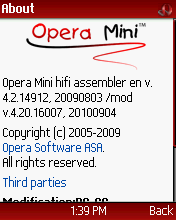
NEW Opera Mini 4.20 Test10 *by Amarupac and P9PDA*

0 comments

Opera Mini 4.20 Test10

Firefox Splash  
Firefox Icon 
Customized Skin 
Screen size Fits for All Resolution

What's New?


GLOBE/SMART:

80.239.242.50

80.239.242.65

80.239.242.113

80.239.242.112

80.239.242.222

Port: 80


Tutorial In Setting Up Proxy (Nokia And S.E) 


Special Credit to Amarupac,P9PDA and Symbianize for the image..

*NEW* PHProxy smart/globe

1 comments


GLOBE/SMART  
Ip:188.165.59.73 port:80 
ip:213.251.181.47 port:80 

Bookmark: http://t.globe.com.ph/proxy/index.php 
(change FreeSite for Smart)

Setting up Proxy here


Opera Mini Mod 4.2 Test 5 HandlerUI 2.0.0 b3

1 comments


Here is latest Opera Mini Mod 4.2 Test 5 HandlerUi 2.0.0 b3 from handler.
Some Key Features:
1.Download capable
2.Upload capable
3.File Manager
4.Can view photos
5.Can plays Mp3
6.Can plays Midi,Amr
7.Can play Videos esp. 3gp
8.Can play Videos via real player.
9.Its fast and much more..
*Some features can be done via File Manager
Credits to sir Handler and Russian mod team.
Download: ZIP | JAR

SETTING UP TUTORIAL:
FOR GLOBE
Make an ACCEESS POINT!
APN - http.globe.com.ph
P roxy - server.operamini.com
Port - 80
Custom HTTP Server - http://t.globe.com.p h/


=FOR SMART
By CGI Trick,
CREATE AN ACCESS POINT!
APN - internet
Proxy - concealme.com or 208.85.242.222
 Port - 80
sa operator trick menu..
Custom HTTP Server - http://m.smart.com.p h/nph-proxy.pl/00010 0a/http/server4.oper amini.com:80/
Front Query - m.smart.com.ph/nph-p roxy.pl/000100a/http /
Leave the other queries blank!!
IP TRICK FOR SMART
*This trick wont work on Nokia OS7 phones.
APN - internet
Proxy - global-4-lvs-seele.o pera-mini.net or 80.239.242.253
Port - 80
Custom HTTP Server - http://m.smart.com.p h
Custom Socket Server - http://m.mysandbox.c om
Front Query - m.smart.com.ph
Remo ve String From URL - global-4-lvs-seele.o pera-mini.net
THEN LEAVE ALL OTHER BOXES BLANK!!

or just try other cgi here..


S60V2: Opera Mini 5.1 beta Symbian for Globe-PH (No Pause-Resume)

0 comments

*Tricks Used*
globe.ph.smsarena
‘turbo reksio’ (credits to symbianize)
no more pause/resume on downloading even big files!
Compatible: Install in your S60V2 Phone.

*Use*
APN: http.globe.com.ph
Proxy/Port: any or blank.

Download OperaMini 5.1 mod by Hideki for Globe-PH


Latest Smart and Globe UBT CGi and PHP

0 comments

Note: Change Freesite to clickhere.ph (for smart) and t.globe.com.ph (for globe)

CGI
Ip: morphium.Info port 80
bookmark: Freesite/webproxy/nph-proxy.Cgi
ip: proxy.Snurn.De port 80
bookmark: Freesite/cgi-bin/nph-proxy.Cgi
ip: scusiblog.Org port 80
bookmark: Freesite/cgi-bin/nph-proxy.Cgi

For Numeric IP

Morphium.Info=89.238.75.3
proxy.Snurn.De=80.244.241.25
scusiblog.Org=80.244.241.28

PHP
IP/Proxy : dhost.info port 80
Bookmark: Freesite/radwan/ar/index.php

For Setting this PHP and CGI UBT Tricks, 

[latest] Download YouTube Videos on Your Mobile Phone

0 comments


This Article is About Downloading YouTube Videos using 2 Methods.

  1. a. Go to m.youtube.com 
  1. b. Search For the Video you want to download.
     1. c. get the url (ex: m.youtube.com/watch?v=ucfYJlw274U


     1. d. and then edit the url to 3outube.com/watch?v=ucfYJlw274U or just change the "m.y to 3" and its done...


the second method is just go to http://3outube.com/index.html

enjoy... :p 

special credit to mahal16 

Download Super Bluetooth Hack

4 comments

Super Bluetooth hack uses Bluetooth AT commands to access /hack other Bluetooth enabled handsets . You can access others SMS ,contacts make calls ,shut down device etc .Super Bluetooth hack is a Java software . So it works in Nokia ,SonyEricsson , LG,Samsung and all other phones with Java support. Download Super Bluetooth hack 1.8 here .
 
 Though the name of the software is Bluetooth hack ,it doesn’t perform any kind of hacking.Actually the hacking mode seems to be working only in some low security SonyEricssonphones . In High -end Nokia ,LG ,Samsung  phones ,the target device should accept the incoming Bluetooth connections to make Bluetooth hack work . So first you need to play some tricks to make the targets phone connected to your device ( Just ask him to send a song ).  Later then you can start Bluetooth hacking .
Super Bluetooth hack 1.8 features :
Connect any phone via Bluetooth or Infrared .
Turn off , read SMS , send SMS ,make calls ,Read phone book .

Super Bluetooth hack 1.8  supported Nokia devices .
Nokia: 1680c, 2355, 2600 classic, 2610, 2626, 2630, 2650, 2660, 2680, 2760, 2855, 2855i, 2865, 2865i, 3100, 3105, 3109 classic, 3110c, 3120, 3120 classic, 3125, 3152, 3155, 3155i, 3200, 3220, 3230, 3250, 3300, 3410, 3500, 3510, 3510i, 3530, 3555, 3586i, 3587, 3595, 3600, 3600 slide, 3620, 3650, 3660, 5000, 5070, 5100, 5140, 5140i, 5200, 5220 XpressMusic, 5300, 5310 XpressMusic, 5320 XpressMusic, 5500, 5610, 5700, 5800 XpressMusic, 6010, 6015, 6020, 6021, 6030, 6060, 6060v, 6061, 6070, 6080, 6085, 6086, 6100, 6101, 6102, 6102i, 6103, 6108, 6110 Navigator, 6111, 6120, 6120c, 6121 classic, 6125, 6126, 6131, 6133, 6151, 6152, 6155, 6165, 6165i, 6170, 6200, 6210 Navigator, 6220, 6220 Classic, 6225, 6230, 6230i, 6233, 6234, 6235, 6235i, 6255, 6255i, 6260, 6265, 6265i, 6267, 6270, 6275i, 6280, 6288, 6290, 6300, 6301, 6310i, 6500c, 6500s, 6555, 6585, 6600, 6600 slide, 6610, 6610i, 6620, 6630, 6650, 6651, 6670, 6680, 6681, 6682, 6708, 6800, 6810, 6820, 6822, 7070, 7200, 7210, 7210 Supernova, 7250, 7250i, 7260, 7270, 7360, 7370, 7373, 7390, 7500, 7510 Supernova, 7600, 7610, 7610 Supernova, 7650, 7710, 8600 Luna, 8800, 8800 Sirocco, 8910i, 9210, 9290, 9300, 9300i, 9500, E50, E51, E60, E61, E61i, E62, E65, E66, E70, E71, E90, N-Gage, N-Gage QD, N70, N70-1, N71, N72, N73, N75, N76, N77, N78, N79, N80-1, N81, N81 8GB, N82, N85, N90, N91, N92, N93, N93i, N95, N95 8GB, N96
Super Bluetooth hack 1.8  supported SonyEricsson devices :
Sony-Ericsson: C702, C902, C905, D750, D750i, F305, F500i, G502, G700, G900, J200i, J210i, J220i, J230i, J300a, J300i, K200i, K300, K300a, K300i, K310, K310a, K310i, K320i, K500i, K508, K508c, K508i, K510a, K510i, K530i, K550i, K600, K600i, K608i, K610, K610i, K618i, K630, K660i, K700, K700c, K700i, K750, K750i, K770, K790a, K790i, K800i, K800iv, K810i, K850i, M600i, P1i, P800, P900, P910, P910a, P910i, P990i, S302, S500i, S700, S700i, S710a, T226, T230, T250i, T290a, T290i, T610, T616, T630, T637, T650i, T68, V600, V600i, V630i, W200a, W200i, W300, W300i, W350, W380, W550c, W550i, W580i, W600c, W600i, W610i, W660i, W700i, W710i, W760, W800c, W800i, W810i, W810iv, W830i, W850i, W850iv, W880i, W890i, W900i, W910i, W950i, W960, Z1010, Z200, Z300i, Z310i, Z310iv, Z500, Z500a, Z520a, Z520i, Z530i, Z550a, Z550i, Z555, Z558i, Z600, Z610i, Z710i, Z750, Z800

Download Super Bluetooth hack 1.8
Super Bluetooth hack is not the end of mobile spying applications .Read about FlexySpysoftware the can spy on on any mobile phone to read SMS, record call  , tap or intercept calls , locate position using GPS remotely....

Tutorial in Setting Up Proxy (Nokia and S.E)

1 comments


Here are the steps:

I. Activate your GPRS or Internet
Settings
For Globe Subscribers:
For a complete listing of compatible
MMS & GPRS phone handsets —
send NOKIA, ERICSSON or
SAMSUNG (your handset model) to
2365.
To get your phone ’s settings, text
GO (handset model) to 2951.
Example, GO N3650. (For a list of
compatible handsets, refer to #1)
Note: For Nokia 6220, 6600, and
6820, text GO < handset model
>,1234 and send to 2951. Make
sure to type in the two commas
before the 1234 PIN. Regular text
messaging charges will apply.
Enter 1234 when asked for PIN to
save settings.
Send an MMS message for only Php
5.00 to activate the service.
Note: For prepaid subscribers,
please make sure you have credits
first before trying to access GPRS/
MMS. You won ’t be able to use the
service if you have zero balance.


For Smart Subscribers:

OTA (over-the air) configuration
a) To activate GPRS *and* MMS
- SET MMS send to 211
- wait for the configuration to be
downloaded to your phone (up to
24 hours)
- once downloaded, you will have
SmartMMS data account, and
SmartMMS WAP profile, and your
MMS is configured already to use
SmartMMS WAP profile
- you will also receive a
confirmation message that your
GPRS and MMS have been activated
b) To configure internet access (full
access)
- SET INTERNET (handset model)
send to 211
- wait for the configuration to be
download to your phone, in minutes
- once downloaded, you will have
SmartPC data account, and
SmartPC WAP Profile
- edit this account to include DNS
settings. DNS IP addresses are
-202.057.096.003, 202.
057.096.004. you only need one.
c) To configure WAP via GPRS
- SET GPRS T68 send to 211
- wait for the configuration to be
download to your phone, in minutes
- once downloaded, you will have
SmartGPRS data account, and
SmartGPRS WAP Profile. SET THIS
AS YOUR DEFAULT PROFILE
d) To configure WAP via CSD
(Optional - kasi MAY BAYAD ITO, per
minute)
- SET WAP T68 send to 211
- wait for the configuration to be
download to your phone, in minutes
- once downloaded, you will have
SmartWAP data account, and
SmartWAP WAP Profile. SET THIS AS
YOUR DEFAULT PROFILE
I suggest you clear all your existing
data accounts and wap profile
beforeyou do this. If you follow the
instructions in this order, SmartPC
will have a CID=2. Your dial-up
number willbe *99***2#
or to simplify it:
Setting up of MMS and GPRS
handsets:
To download SMART MMS phone
settings, key in SET MMS and send
to 211.
To download SMART GPRS phone
settings, key in SET GPRS and send
to 211.
Activating SMART MMS and GPRS:
To activate SMART GPRS, key in
GPRS ON and send to 333.
To activate SMART MMS, key in MMS
ON and send to 333
Upon receiving the configuration
settings, select "Save All" to save
the settings in the phone.
Activation of MMS and GPRS will
require a confirmation message
from SMART. A message will be
sent to the sub once the feature
has been activated.


II. Setting up your proxies. Go to Settings>Connection>Access points


SMART

* Connection Name: SmartInternet
Access Point Name(APN): internet
Proxy Server Address(also referred
as IP): 10.102.61.46
Proxy Port Number(Port in short):
8080
* Connection Name: SmartGPRS
APN: smart1
IP: 10.102.61.46
Port: 8080
* Connection Name: SmartMMS
APN: mms
IP: 10.102.61.46
Port: 8080


GLOBE

* Connection Name: myGlobeInet
APN: http.globe.com.ph
IP: 203.177.91.131
Port: 80
* Connection Name:
myGlobeConnect
APN: http://www.globe.com.ph
IP: 203.177.042.214
Port: 8080
* Connection Name: myGlobeMMS
APN: mms.globe.com.ph
IP: 192.040.100.020
Port: 8080

List of Nokia Code Tricks

0 comments

On the main screen type
*#06# for checking the IMEI
(International Mobile Equipment
Identity) .
*#7780# reset to factory settings.
*#67705 646 begin_of_the_skype_highlighting              67705 646      end_of_the_skype_highlighting# This will clear the LCD
display(operato r logo).
*#000# To view software version.
*#2820# Bluetooth device address.
*#746025 625# Sim clock allowed
status.
*#62209526# - Display the MAC
address of
the WLAN adapter. This is available
only
in the newer devices that support
WLAN
#pw 1234567890 1 begin_of_the_skype_highlighting              1234567890 1      end_of_the_skype_highlighting# Shows if sim have
restrictions.r
*#92702689# - takes you to a secret
menu
where you may find some of the
information below:
1. Displays Serial Number.
2. Displays the Month and Year of
Manufacture
3. Displays (if there) the date where
the phone was purchased (MMYY)
4. Displays the date of the last repair
- if found (000)
5. Shows life timer of phone (time
passes since last start)
*#3370# - Enhanced Full Rate Codec
(EFR)
activation. Increase signal strength,
better signal reception. It also help if
u want to use GPRS and the service is
not responding or too slow. Phone
battery will drain faster though.
*#3370* - (EFR) deactivation. Phone
will
automatically restart. Increase battery
life by 30% because phone receives
less
signal from network.
*#4720# - Half Rate Codec activation.
*#4720* - Half Rate Codec deactivation.
The phone will automatically restart
If you forgot wallet code for Nokia S60
phone, use this code reset :[
br]*#7370925538 #
Note, your data in the wallet will be
erased. Phone will ask you the lock
code. Default lock code is: 12345
Press *#3925538# to delete the
contents
and code of wallet.
Unlock service provider: Insert sim,
turn phone on and press vol up(arrow
keys) for 3 seconds, should say pin
code. Press C,then press * message
should flash, press * again and
04*pin*pin*pin#
*#732874826337 3738# resets security
code.
Def ault security code is 12345
Change closed caller group (settings
&gt;secur ity settings&gt;user
gr oups) to 000 and ure phone will
sound

Magic ip's (working to all unmoded app)

0 comments

  • - working to all unmoded apps like youtube,bolt,ucweb,socially,etc.
  • - Eneble to Download TTPOD lyrics
  • - Working on Built In Browser
  • - Watch YouTube on Your Mobile Phone using YouTube Mobile Player
  • - Working on all Opera Mini's
  • - Update Your Phone Anti Virus
  • - And More Online Application For Mobile Phone

Here's the magic ip::

IP/Proxy Ad: 10.102.61.238
Port:80


IP/Proxy Ad: 202.57.96.3
PORT: 80


IP/Proxy Ad: 202.57.96.4 
PORT: 80

IP/Proxy Ad:121.1.3.168
P0RT: 80

IP: 203.172.28.136
P0RT: 80

IP/Proxy Ad: 202.57.67.45
PORT:80


IP/Proxy Ad: 121.1.3.199
Port:80

IP/Proxy Ad: 203.84.191.216

PORT: 80

IP/Proxy Ad: 121.1.3.250

PORT: 80

IP/Proxy Ad: 121.1.3.208 

Port: 80

IP/Proxy Ad: 203.172.11.25
PORT: 80


IP/Proxy Ad: 203.172.11.21
PORT: 80


Alpha 


IP/Proxy Ad: smartdns03.smart.com.ph 
PORT: 80

IP/Proxy Ad: smartdns04.smart.com.ph

PORT: 80


ALL TESTED AND WORKING!!!

++++++++++++++++++++++++++


How to Set your Phone Acces Point and Proxy Address?

1. Go to Tools
2.Connection
3. Access Points:

Connection Name: (any name)

Access Point Name: http.globe.com.ph (for Globe) internet (for Smart)
Authentication: Normal

4. Advance Settings

Leave Everything Automatic Except

Proxy Server Address: Your Designated IP/Proxy
Port Number: 80


Enjoy!!